
Xbox Series X Repair When Your Console Acts Up
There’s a special kind of dread that hits when your Xbox Series X won’t turn on. Or freezes mid-boss-fight. Or throws up a black screen when you just want to unwind after a long day. Your gaming lifeline, suddenly on the fritz. Panic sets in. Take a breath. It’s usually fixable, and often for way less than you’d fear.
Here’s the reality in 2026. The Xbox Series X has been out since November 2020, which means a lot of consoles are now well past their warranty window and starting to show their age. HDMI ports fail, power supplies die, disc drives grind, and consoles overheat. But here’s the good news – most of these are common, well-understood problems with clear repair paths. An Xbox Series X repair rarely means buying a whole new console.
So let me walk you through it all. What breaks, what it costs to fix, your warranty and service options, and when you should grab a screwdriver versus hand it to a pro. Let’s get your console back in the game.
The Most Common Xbox Series X Problems
Before you can fix anything, you need to know what you’re dealing with. And happily, the community has thoroughly documented the usual suspects over the years. Most Series X failures fall into a handful of categories.
Here are the problems that come up most often:
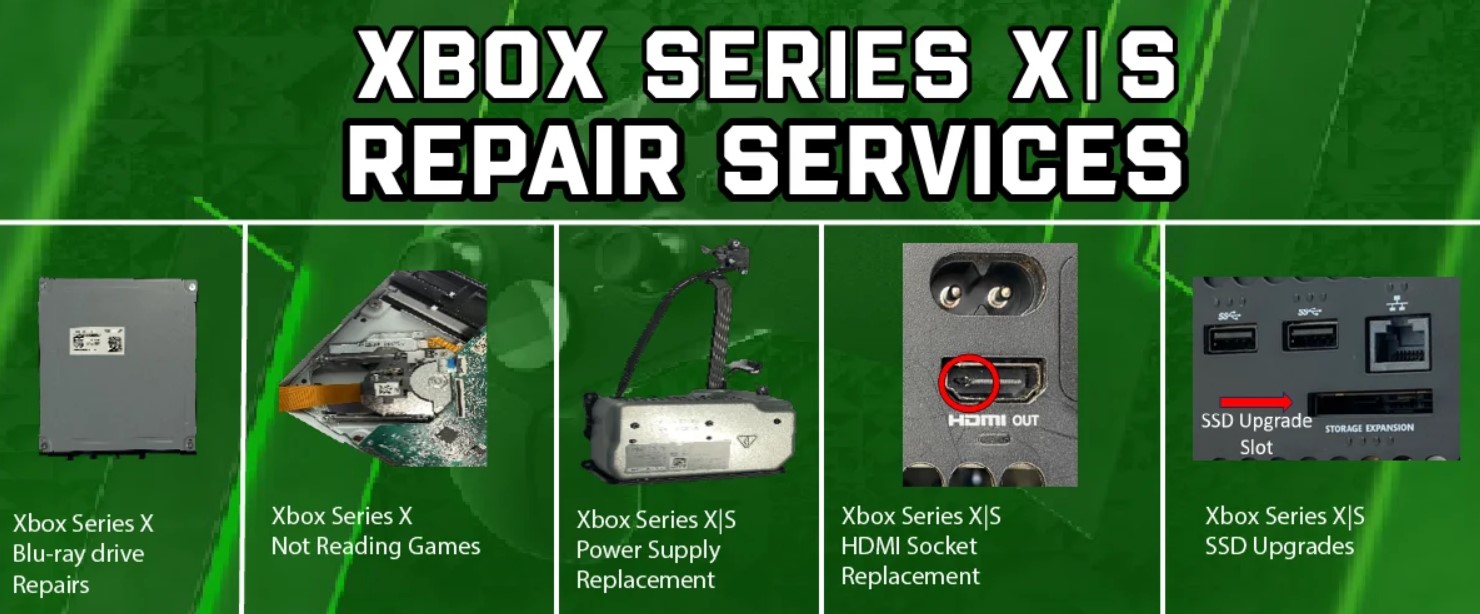
- HDMI port failure – the single most notorious Series X weakness; the ports are fragile and break easily.
- No power / won’t turn on – usually an internal power supply unit (PSU) issue.
- Overheating and random shutdowns – often caused by dust buildup choking the vents.
- Disc drive troubles – grinding noises, failure to read discs, or discs not loading.
- Freezing and crashing – games stuttering, locking up, or crashing unexpectedly.
- Storage / SSD failure – the bespoke internal SSD failing, which is pricey to replace.
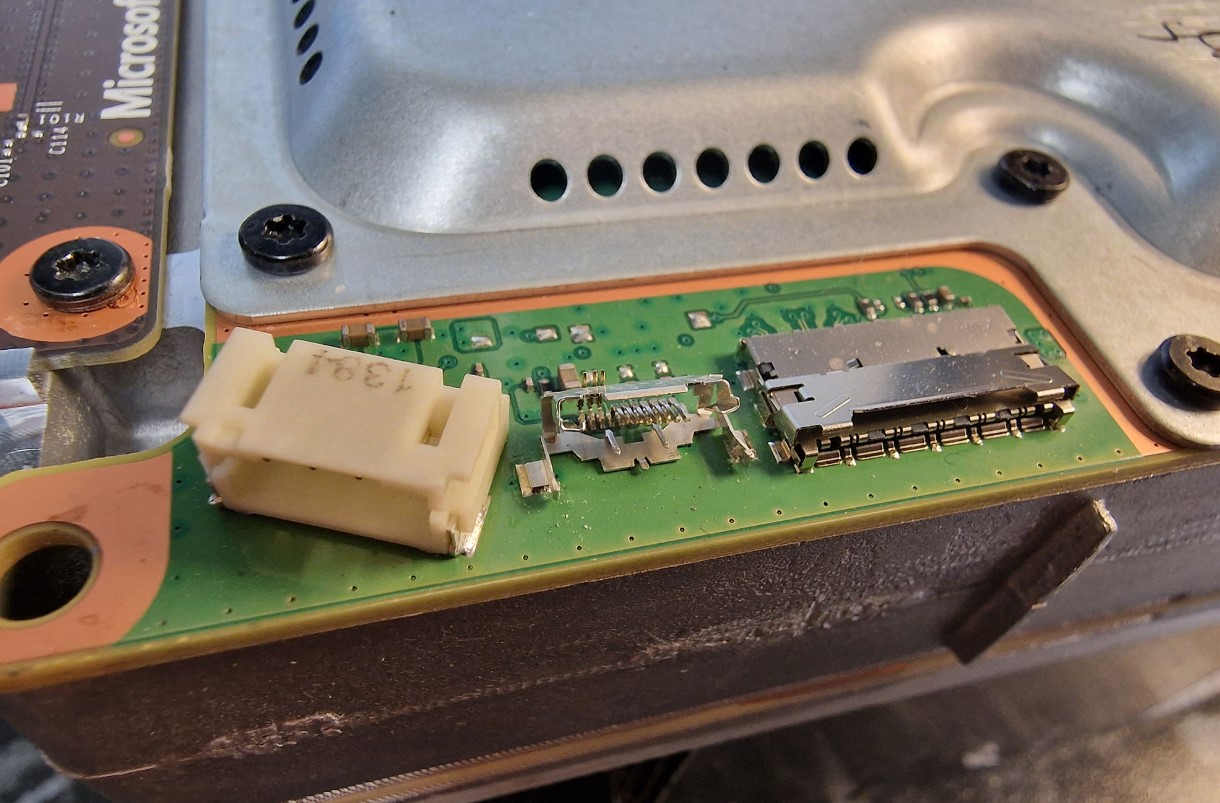
The HDMI port deserves special attention because it’s the Series X’s Achilles’ heel. According to repair community documentation, the HDMI ports are very weak on this console and tend to break easily. A common culprit is a trailing cable getting yanked or the console tipping over with a cable plugged in. The fix involves replacing the physical port, and sometimes an associated retimer or ESD protection chip on the board.
Overheating is another big one, and it’s often the most preventable. Dust accumulates inside the vents over months and years, restricting airflow until the console overheats and shuts down to protect itself. Regular cleaning prevents a shocking number of these cases. More on that shortly.
Xbox Series X Repair Costs in 2026
Let’s talk money, because this is what everyone really wants to know. How much is this going to hurt? The honest answer: it depends on what’s broken, but most repairs are cheaper than you’d expect.
According to repair shops operating in 2026, most Xbox repairs at a professional shop fall between $80 and $200. The cheapest common service is a thermal clean at around $80 to $100, while the most expensive routine repair is a full disc drive replacement at roughly $160 to $200. Anything above that range usually points to a board-level problem or a console that isn’t worth repairing.
| Repair Type | Typical Cost (2026) |
|---|---|
| Thermal clean / paste service | $80 – $100 |
| HDMI port replacement | $120 – $180 |
| Disc drive repair or replacement | $100 – $200 |
| SSD / storage replacement | $200 – $250+ |
| Board-level / motherboard repair | $150+ (often not worth it) |
Those prices generally include parts, labor, testing, and a warranty on the work. Here’s a useful tip from the pros: shops quoting well below that range are often skipping something – a proper test, a real warranty, or genuine parts – while shops quoting well above it are usually overcharging for what’s a fairly routine repair these days.
Now, context matters. A new Xbox Series X retails around $499 to $549 depending on your region. So for most common failures, a repair costs less than half the price of a new console – and crucially, it preserves your saves, digital library, and installed games. That’s why repair usually makes sense over replacement, unless you’re staring down an expensive board-level or SSD failure that approaches the cost of a new unit.
Warranty: Check This First
Before you pay a dime for repairs, check your warranty status. Seriously, this is step one. You might be entitled to a free fix, and it’d be silly to pay out of pocket if Microsoft will cover it.
Microsoft typically offers a one-year manufacturer’s warranty on the Xbox Series X. This covers defects in materials or workmanship – so a component that fails through no fault of your own. What it does NOT cover is accidental damage, like dropping the console or spilling a drink on it. Keep that distinction in mind.
Here’s the catch for most people in 2026: since the Series X launched in late 2020, that standard one-year warranty has long expired for early adopters. But don’t give up hope yet, because your rights may extend further depending on where you live:
- In the EU, law guarantees a minimum two-year legal guarantee on consumer goods, with the seller responsible for defects appearing within that window.
- In the UK, the Consumer Rights Act 2015 lets you claim for up to six years in England and Wales (five in Scotland) for goods that aren’t of satisfactory quality.
- In Australia, Consumer Law provides protections that can extend beyond the standard warranty for major failures.
- In the US, there’s no mandated minimum warranty period, though implied warranties may offer some protection.
So even out of the manufacturer window, check your regional consumer protections. To confirm your exact status, head to the Microsoft Service & Repair page, enter your console’s serial number, and it’ll show your coverage and any service quote for your region. Always do this before paying for a repair.
Your Repair Options: Microsoft vs Local Shop vs DIY
Once you know your warranty status, you’ve got three main routes to an Xbox Series X repair. Each has its place, and the right choice depends on your situation. Let me break them down.
Option one: Microsoft’s official service. You request a repair through the Microsoft Device Support portal. If you’re still under warranty or the issue falls under a known hardware defect program, this is often free or cheap. Out of warranty, it typically involves a flat-rate service fee. The upside is guaranteed genuine parts and qualified technicians. The downside is it’s usually more expensive out of warranty and can be slower. Microsoft makes the most sense when you’re still covered, or dealing with a complex issue that benefits from their board-level diagnostic tools.
Option two: a local repair shop. Independent shops often offer competitive prices and faster turnarounds than Microsoft. Many can handle HDMI ports, disc drives, thermal service, and more, sometimes same-day. The key is doing your homework – read reviews, ask fellow gamers in your community for recommendations, and confirm they use genuine parts and offer a warranty on the work. A good local shop is often the sweet spot for out-of-warranty repairs.
Option three: DIY. For the brave and technically inclined, some repairs are doable at home. Thermal cleaning and paste replacement are the most beginner-friendly. But here’s a critical warning: opening your console voids any remaining warranty, and messing around inside can cause bigger problems if you don’t know what you’re doing. Complex jobs like SSD, HDMI port, or motherboard replacement really should go to professionals unless you have real electronics repair experience.
As of 2026, there’s also a bright spot for DIYers and shops alike – genuine replacement parts are more widely available through the Microsoft Repair Hub, making cost-effective repairs more accessible than in the early years. That’s a welcome shift toward repairability.
DIY Fixes You Can Actually Try Safely
Not every problem needs a technician. Some issues have simple fixes you can try at home before spending any money. Let me walk you through the safe, no-risk troubleshooting steps the community swears by.
Start with these basic steps, in order:
- Power cycle the console – hold the Xbox button for 10 seconds until it fully shuts off, then restart; this clears a surprising number of glitches.
- Check your cables – swap out the HDMI cable and try a different port on your TV, since the problem might be the TV, not the Xbox.
- Clean the vents – use a can of compressed air to blow dust out of the vents, which prevents and fixes many overheating issues.
- Update or reinstall firmware – outdated system software can cause crashes; make sure your console is fully updated.
- Try a different outlet – plug directly into a wall socket rather than a power strip to rule out power delivery issues.
That cable-swapping tip is important. A lot of “broken HDMI port” panics turn out to be a faulty cable or a TV-side issue. Community reports are full of cases where a black screen was actually the TV’s HDMI port or a firmware quirk, not the console at all. One player even found their Series X worked fine if they held the cable in a certain position – a telltale sign of a loose port, but proof that testing methodically saves money. Always rule out the cheap, easy stuff first.
For overheating specifically, positioning matters too. Keep your console in an open, well-ventilated spot, not crammed into a tight cabinet. Keep it low to the ground where possible, avoid trailing cables that could get yanked, and clean the vents regularly. Prevention is far easier than repair.
When to Repair vs Replace
Here’s the tough decision that trips people up. Sometimes repair isn’t the smart move, and you’re better off replacing the console. So how do you decide? Let me give you a clear framework.
Lean toward repair when the fix is a common, affordable one – an HDMI port, a disc drive, a thermal clean. These cost well under half a new console and keep all your data intact. If your console is otherwise healthy and just has one fixable fault, repair is almost always the better value. You save money and keep your saves, digital library, and installed games.
Lean toward replacement when the repair cost approaches the price of a new or refurbished unit. This is most common with expensive SSD failures or serious board-level damage, which can run $200 to $250 or more. At that point, a new console makes more sense because it comes with a fresh manufacturer’s warranty and better protection against future failures. A certified refurbished unit is also worth considering as a middle-ground option.
The rule of thumb the community uses: if the repair quote is more than about half the cost of a replacement, seriously consider replacing instead. But always weigh in the value of your existing data and setup, which a repair preserves and a replacement doesn’t.
FAQ
How much does an Xbox Series X repair cost?
Most professional repairs run $80 to $200. Thermal cleans are cheapest at $80-$100, while SSD replacements can hit $200-$250 or more.
Is my Xbox Series X still under warranty?
Microsoft’s standard warranty is one year, so early consoles are out of it. But EU, UK, and Australian consumer laws may extend your coverage. Check your serial number online.
Why do Xbox Series X HDMI ports break so often?
The ports are physically weak and break easily, usually from a yanked cable or the console tipping over while connected. It’s the most common Series X fault.
Can I repair my Xbox Series X myself?
Simple fixes like thermal cleaning are doable, but opening the console voids warranty. Leave HDMI, SSD, and motherboard repairs to professionals.
Should I repair or replace my Xbox Series X?
Repair if the fix costs under half a new console and keeps your data. Replace if the repair approaches the price of a new or refurbished unit.
What causes Xbox Series X overheating?
Usually dust buildup restricting airflow. Regular cleaning with compressed air and good ventilation prevents most overheating shutdowns.
Where can I get genuine repair parts?
As of 2026, genuine parts are more widely available through the Microsoft Repair Hub, making DIY and independent shop repairs more affordable.
Wrapping It Up
So there’s your complete guide to Xbox Series X repair in 2026. The headline takeaway? Don’t panic when your console acts up. Most problems – HDMI ports, disc drives, overheating, power issues – are common, well-understood, and fixable for less than half the cost of a new console. Your saves and library are worth preserving.
My honest advice? Work through it methodically. Check your warranty status first, since you might get a free fix. Try the simple DIY steps like power cycling, cable swapping, and vent cleaning before spending money. If those don’t work, weigh a local shop against Microsoft’s official service based on cost and speed. And only consider replacement if you’re facing an expensive SSD or board-level failure.
A little troubleshooting knowledge goes a long way toward keeping your Series X alive for years. Take care of it, clean those vents regularly, and don’t let a fragile HDMI port ruin your gaming. Now go get that console fixed and back to what it does best.
P.S. If this guide helped you sort out your console troubles, please support us by sharing the post across your social media and adding it to your bookmarks so it’s easy to find later. Every share genuinely helps our team keep guides like this coming. And if you’re seeking creative or commercial collaboration, feel free to write to the Lizet Manski team directly – we’d love to hear from you.