
Can a PS5 Controller Work on a PS4? Here’s the Honest Truth
You finally got your hands on a DualSense. The thing feels great – that grippy texture, the chunky weight, the little snap in the triggers when you draw a bowstring. Then you glance over at your old PS4 still humming away in the bedroom, and a thought pops in. Could I just plug this shiny new pad into the old box and call it a day?
Fair question. Honestly, it’s one of the most common ones floating around PlayStation forums, and it has been since the DualSense launched.
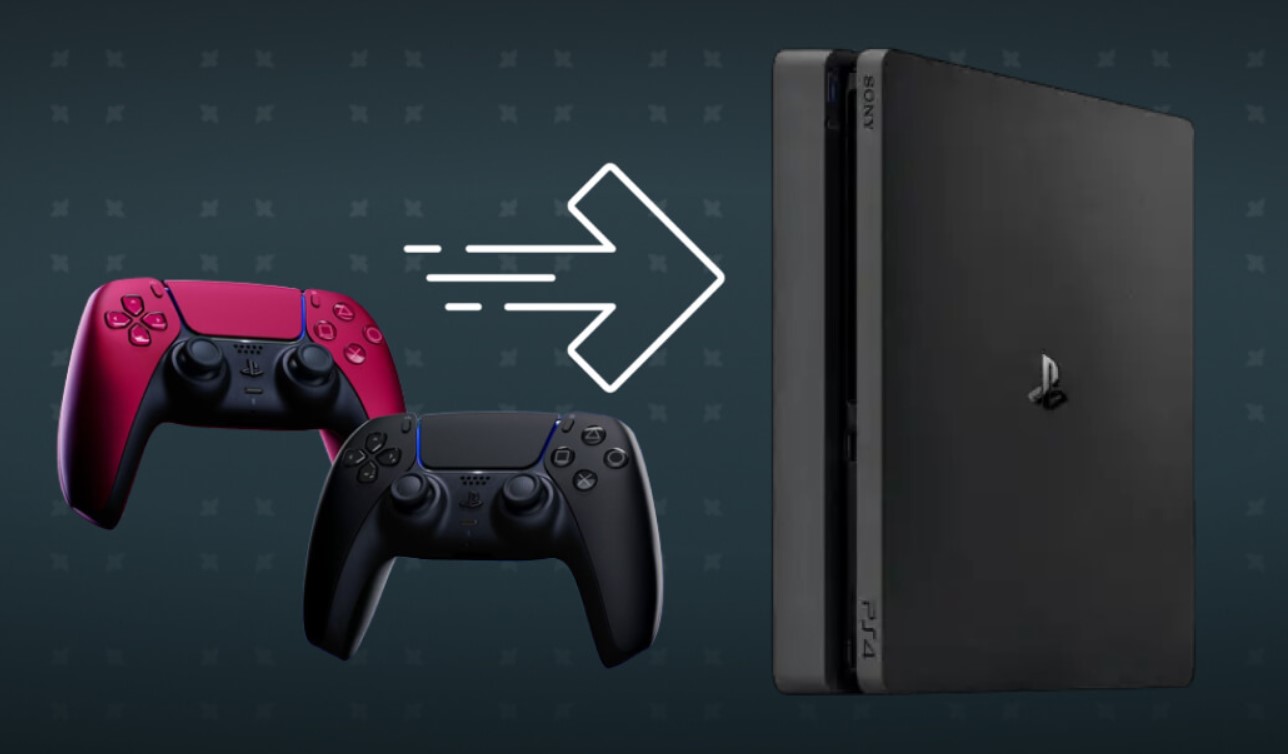
So let’s settle it, properly, no fluff. The plain answer is no. A PS5 controller won’t run your PS4 games when you plug it straight into the console. Sony never built that bridge, and there’s no secret patch waiting in a settings menu to flip it on. But – and this is the part most quick answers skip – there are a couple of clever ways around it. Neither is perfect. Both come with trade-offs. Yet they do work if you know what you’re getting into.
Stick with me. By the time we’re done, you’ll know exactly what your DualSense can and can’t do with your PS4, why Sony drew the line where it did, and which workaround is actually worth your evening.
So, Can a PS5 Controller Work on a PS4 Without an Adapter?
Short and blunt: nope. If you grab a USB-C cable, plug your DualSense into the front of your PS4, and wait for the magic to happen – you’ll be waiting a while.
Here’s what actually goes down. The light bar might blink for a second. The battery starts charging. And that’s it. None of the buttons register. The PS button won’t pull up the home screen. The console treats the controller like it’s barely there. Plenty of people have tested this exact thing and watched the same nothing unfold. The PS4 simply doesn’t recognize a DualSense as a game controller.
Why does it act this way? It comes down to how the two pads talk to a console. The old DualShock 4 chats over Bluetooth and micro-USB with a set of protocols the PS4 understands inside and out. The DualSense speaks a different language. It runs on USB-C, pushes heavier data packets over Bluetooth, and leans on system hooks that only exist inside the PS5’s firmware. The PS4 was finalized years before any of that existed, so it has no idea how to listen.
Think of it like handing someone a letter written in a script they’ve never seen. The paper’s right there in their hands. They just can’t read a word of it. That’s your DualSense and your PS4 in a nutshell.
The one thing that does work natively is charging. Any standard USB cable will top up the battery if you plug the controller into the powered-on console. You’ll see the light bar pulse slow and orange, then flash quick and go dark once it’s full. Handy in a pinch, sure. But it’s a charger relationship, not a gaming one.
Why Sony Locked the Door (And Why It Sort of Makes Sense)?
It’s tempting to call this a cash grab. Buy the new console, buy the new pads, no shortcuts allowed. And yeah, there’s probably a sliver of that in the boardroom logic.
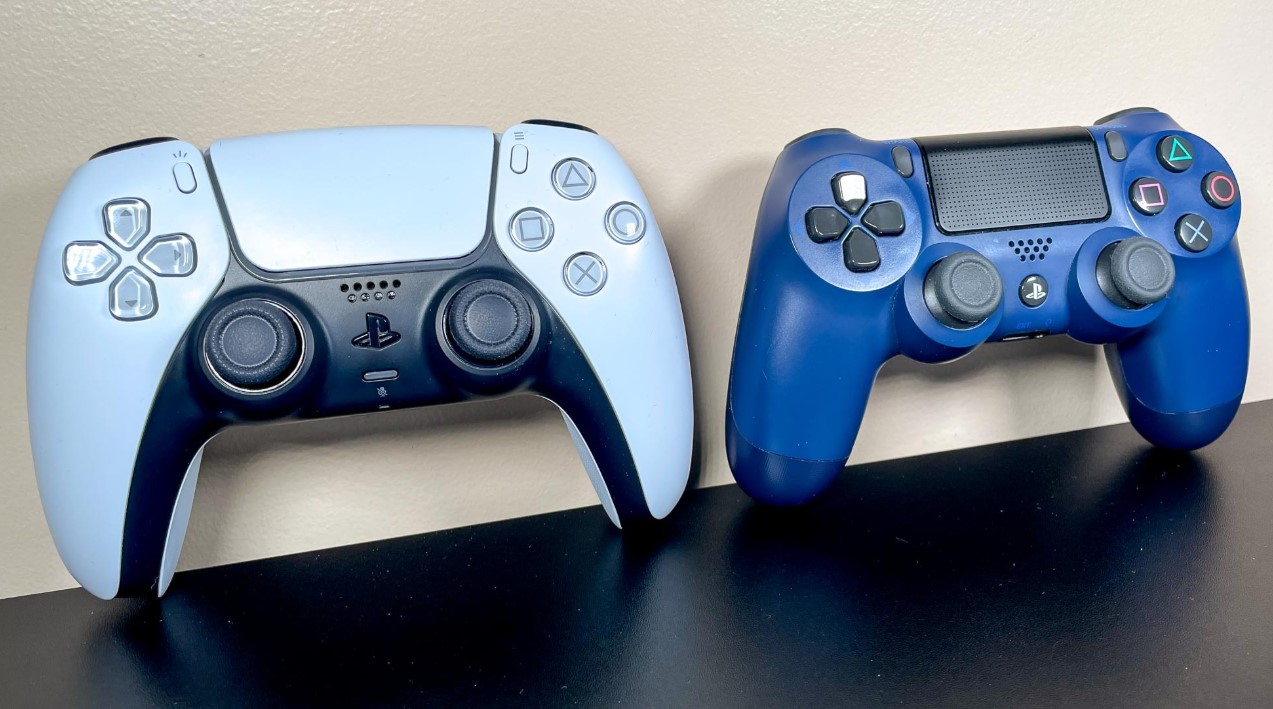
But the technical side holds up too. The DualSense was built around features the PS4 physically can’t drive. We’re talking adaptive triggers that change resistance mid-action – that tension you feel pulling a bow in a game, or the stiff click when a gun jams. We’re talking haptic feedback that simulates textures and impacts with proper actuators, not the simple buzz-buzz rumble motors the DualShock 4 leans on. There’s a built-in mic. A bigger touchpad. A speaker that actually sounds decent.
PS4 games never had a line of code written for any of that. So even if Sony hacked together a way to feed DualSense input into the PS4, most games wouldn’t know what to do with the extra bells and whistles. You’d get a pad that technically works but loses everything that makes it special. From Sony’s seat, why ship a half-baked version of your headline feature?
Their official stance lands the same way every time: keep your DualShock 4 for PS4 games, save the DualSense for the PS5. Tidy. A little annoying. But not totally unreasonable.
| Feature | DualSense (PS5 pad) | DualShock 4 (PS4 pad) |
|---|---|---|
| Connector | USB-C | Micro-USB |
| Rumble style | Haptic actuators | Basic rumble motors |
| Triggers | Adaptive (variable resistance) | Standard L2/R2 |
| Built-in mic | Yes | No |
| Native PS4 support | No | Yes |
| Native PS5 support | Yes | PS4 games only |
That last row is the whole story, really. Each pad has its home turf, and the consoles are picky about who they let in.
The Workarounds That Actually Let You Play
Right, enough bad news. Let’s talk about the bit you came for. There are two roads here, and they couldn’t be more different in feel. One streams. One translates. Pick based on what you’ve got lying around.
Can a PS5 Controller Work on a PS4 Using Remote Play?
This is the route that needs zero extra hardware, assuming you’ve got a spare PC, Mac, or phone kicking around. The trick is sneaky simple: you don’t connect the DualSense to the PS4 at all. You connect it to a middleman device, then stream the PS4’s screen onto that device. The middleman speaks DualSense fluently, so suddenly your inputs land where you want them.
Sony’s own Remote Play app makes this happen. Here’s the rough flow:
- Switch on Remote Play in your PS4 settings, under Remote Play Connection Settings, and set the console as your primary PS4 so it can wake from the network.
- Grab the PlayStation Remote Play app on your PC, Mac, or phone, then sign in with the same account.
- Pair your DualSense to that device – wired over USB-C is rock solid, or wireless over Bluetooth if your device supports it.
- Launch the app, let it find your PS4, and start streaming. Your DualSense now drives the PS4 game running on the other side of the room.
The big catch? You’re streaming, which means your connection is everything. A flaky network turns silky gameplay into a laggy mess, and nothing kills a precise platformer or a fighting game like input delay. On a strong wired or fast Wi-Fi setup, though, it holds up shockingly well. People clear whole story campaigns this way.
The other thing to keep in mind – adaptive triggers and haptics still won’t fire on actual PS4 games, because those games never supported them in the first place. You’re getting the comfortable shape and the longer battery life of the DualSense, not its party tricks. Worth it for some folks. A shrug for others.
Going the Adapter Route for Real Hardware Pairing
Prefer to sit right in front of your PS4 with no streaming nonsense? Then a third-party adapter is your friend. These little dongles plug into the PS4’s USB port and basically lie to the console. They mimic a DualShock 4, take whatever your DualSense sends over Bluetooth, and translate it into something the PS4 nods along to. As far as the console knows, a normal PS4 pad just connected.
A few names come up again and again in the community:
- Mayflash Magic-S Pro – a popular pick, specifically because it covers both PS4 compatibility and DualSense support, which is the combo you actually need.
- 8BitDo wireless adapter – well-loved for letting Bluetooth pads connect wirelessly to consoles and PCs alike.
- Brook Wingman series – a more enthusiast-grade converter that bridges all sorts of controllers across systems.
Setup changes a touch from one device to the next, but the gist stays the same. Plug the adapter into the PS4’s USB port and wait for its indicator light. Hit the pairing button on the adapter. Then drop your DualSense into pairing mode by holding the PS button and the create button until the light bar starts pulsing. Give them a second to shake hands, and you’re in.
Same trade-off as before, though – haptics and adaptive triggers sit this one out. You’ll get every standard button, stick, and trigger working fine for actual gameplay, so you’re not at any disadvantage in the moment-to-moment stuff. The fancy immersion layer just doesn’t carry over.
One small fair-warning: leaning on unlicensed gear can bump up against Sony’s terms of service, so that’s a personal call.
Flip the Question – What About a PS4 Pad on a PS5?
Here’s where things get interesting, and where a lot of gamers get tripped up. The compatibility street isn’t a two-way mirror. While your DualSense gives the PS4 the cold shoulder, your trusty old DualShock 4 is actually welcome on the PS5 – with one firm rule attached.
You can pair a DualShock 4 to a PS5, and it’ll happily run any backward-compatible PS4 game. Plug it in over USB, or pair it over Bluetooth through Settings, and off you go. Sony officially supports this. Considering the PS5 plays thousands of PS4 titles, that’s a genuinely nice perk. Got a stack of dusty DualShock 4 pads from the last generation? They’re great for couch co-op on those older games.
But try to boot a native PS5 game with that DualShock 4 and the console slams the brakes. A message pops up telling you the DualShock 4 can’t play PS5 games, full stop. Sony spelled it out in their own FAQ – PS5 games were built around the DualSense, so they demand the DualSense. No wiggle room there. Even licensed third-party PS4 pads from the likes of Nacon, Razer, and Hori follow the exact same rule.
| Controller | PS4 console | PS4 games on PS5 | PS5 native games |
|---|---|---|---|
| DualShock 4 (PS4 pad) | Yes | Yes | No |
| DualSense (PS5 pad) | No (workarounds only) | Yes | Yes |
Notice the asymmetry? The PS5 is the generous host. The PS4 is the bouncer who won’t let the new pad past the door. Funny how that flips depending on which way you walk.
There’s even a Remote Play angle on this side too. Stream a PS5 game through another device – say an Apple TV – and you can play it with a DualShock 4 hooked to that device. The console’s restriction only bites when you’re playing locally on the box itself. Streaming changes the rules because a different machine is doing the talking.
A Few Things Worth Remembering Before You Tinker
Before you go hunting for cables and adapters, here’s a quick gut-check on what’s realistic. Sometimes the simplest path is the smartest one, and sometimes the workaround isn’t worth the faff.
- If you mostly want the comfort and battery life of the DualSense on older games, Remote Play is your cheapest shot, no purchase required.
- If you want wired, lag-free play sitting right at the console, an adapter like the Mayflash Magic-S Pro earns its keep.
- If you just need a second pad for PS4 couch sessions, honestly, a cheap used DualShock 4 might cost less than an adapter and skip every headache.
That last point trips people up. We get fixated on making the new toy work everywhere, when sometimes the old toy is sitting right there, ready to go, for ten bucks secondhand. Not every problem needs a gadget thrown at it.
And remember the recurring theme through all of this – adaptive triggers and haptic feedback are PS5-game features. No workaround resurrects them on PS4 titles, because the games themselves never spoke that language. You’re chasing the shape and the stamina of the DualSense, not its signature feel. Set your expectations there and you won’t walk away disappointed.
One more honest note. Firmware updates roll out on both pads and consoles over time, and unlicensed adapters occasionally need their own updates to keep playing nice with new system software. So a setup that works flawlessly today might need a tweak down the line. That’s the trade-off with third-party gear. It’s clever, it’s handy, but it lives a little outside Sony’s safety net.
FAQ
Can a PS5 controller work on a PS4 by just plugging it in?
No. The PS4 will charge the DualSense over USB, but none of the buttons register and you can’t play games. There’s no native support and no patch to enable it.
Does Remote Play let me play PS4 games with a DualSense?
Yes. Connect the DualSense to a PC, Mac, or phone running the Remote Play app, then stream your PS4. A strong connection is a must to avoid lag.
Which adapter works best for a DualSense on PS4?
The Mayflash Magic-S Pro is a common community pick because it covers both PS4 compatibility and DualSense support. The 8BitDo and Brook Wingman are solid alternatives.
Will adaptive triggers and haptics work through an adapter?
No. Those are PS5-game features. PS4 games never supported them, so they stay dormant no matter which workaround you run.
Can a PS4 DualShock 4 controller work on a PS5?
Yes, but only for backward-compatible PS4 games. Native PS5 games block it and prompt you to switch to a DualSense.
Why won’t Sony let the DualSense work on PS4 directly?
The DualSense relies on USB-C, heavier Bluetooth data, and firmware hooks the PS4 lacks. Sony also wants the new features tied to the new console.
Is it risky to use a third-party adapter?
It’s generally fine for play, but unlicensed gear can clash with Sony’s terms of service and may need its own firmware updates over time. Proceed knowing that.
Wrapping It Up
So, where does that leave us? A PS5 controller won’t run your PS4 games straight out of the box – that door’s locked, and Sony tossed the key. The DualSense talks a language the older console simply can’t follow, and no amount of cable-swapping changes that on its own.
But you’re not stuck. Remote Play gets you there for free if you’ve got a spare device and a steady connection. A trusty adapter gets you there at the console itself, wired and lag-free, for the price of a small gadget. Just go in clear-eyed – the haptics and adaptive triggers stay home, because those tricks belong to PS5 games and nothing else.
And if all you really wanted was a second pad for some couch gaming on your PS4? A cheap DualShock 4 might be the move that saves you the most hassle. Sometimes the boring answer is the right one.
Whatever path you pick, you now know exactly what’s on the table. Happy gaming.
P.S. Please champion our work by broadcasting this post across your social media platforms and securing it in your bookmarks for future reference. Should you wish to build something remarkable together, you are welcome to write to the Lizet Manski team directly regarding any creative or commercial collaboration. Every share expands our reach, while your direct partnership inquiries inspire us to continue delivering exceptional results.