
Wireless Headset Microphone for Gamers That Actually Sounds Clear
Picture the clutch moment. Your squad’s pinned down, you spot the flank, you call it out – and your teammate replies “what? you’re breaking up.” The intel’s useless, the round’s lost, and it’s not your aim that failed. It’s your mic. In competitive gaming, a muddy microphone can cost you matches just as surely as bad reflexes. That’s why the right wireless headset microphone for gamers matters more than most people think.
Here’s the thing, though – the market is flooded with headsets that sound great in music but turn your voice into garbled mush. And the wireless part adds its own complications: latency, battery anxiety, connection dropouts. Picking one that nails both clean audio and a crisp, reliable mic without a cord tethering you to your desk takes some know-how. Most buyers focus entirely on how a headset sounds and completely forget that your teammates only hear the mic.
So let me walk you through everything about choosing a wireless headset microphone for gamers – what actually matters, the standout picks the community trusts, the wireless tech to understand, and how to make sure you always come through loud and clear. Let’s get you sounding pro.
Why Is the Microphone the Part That Matters Most?
Let’s start with a mindset shift, because this is where most buyers go wrong. When you buy a gaming headset, you hear the audio quality – but your teammates only ever experience your microphone. So for multiplayer, the mic is arguably the most important component of the whole thing.
Clear communication is the cornerstone of effective online gaming. It directly impacts competitive teamwork, social interaction, and content creation. For strategic titles like Counter-Strike 2 and Valorant, noise-free comms are non-negotiable, and for anyone streaming on Twitch or YouTube, mic quality is everything. A great-sounding headset with a bad mic makes you sound bad to everyone else.
Here’s what separates a good gaming mic from a bad one:
- Voice clarity – your words come through crisp and natural, not thin or muffled.
- Background noise rejection – keyboard clatter, fans, and room noise get filtered out.
- Consistent pickup – the mic captures you reliably regardless of small head movements.
- Durable or detachable design – flimsy boom arms that degrade over time are a common complaint.
That noise rejection point is huge for gamers specifically. Mechanical keyboards clack, PC fans whir, and household noise happens. A good gaming mic with noise cancellation ensures your teammates hear you, not your environment. Modern AI-powered mics have gotten genuinely impressive at this, isolating your voice from everything else.
And don’t overlook durability. The Reddit community frequently flags flimsy, non-detachable boom arms that degrade over time as a common frustration. The most recommended models feature robust, flexible mic arms or clean detachable and retractable designs. A mic that flops or crackles after six months isn’t worth it, no matter how good it sounded on day one.
The Best Wireless Headset Microphone for Gamers Right Now
Alright, let’s get to specific recommendations. Based on testing from outlets like Forbes Vetted and TechRadar, plus extensive analysis of Reddit communities like r/gaming, r/pcgaming, and r/headphoneadvice, here are the standout wireless picks that nail both audio and mic quality in 2026.
For the best microphone overall, the SteelSeries Arctis Nova Pro Wireless is the apex pick in high-end discussions. Its AI-powered ClearCast Gen 2 microphone is consistently hailed as best-in-class, offering studio-quality clarity and phenomenal background noise cancellation. It also features hot-swappable batteries – so you’re never caught with a dead headset mid-session – plus active noise cancellation and the ability to connect to two sources simultaneously. It’s expensive, but for pure mic performance and features, it’s the community’s darling.
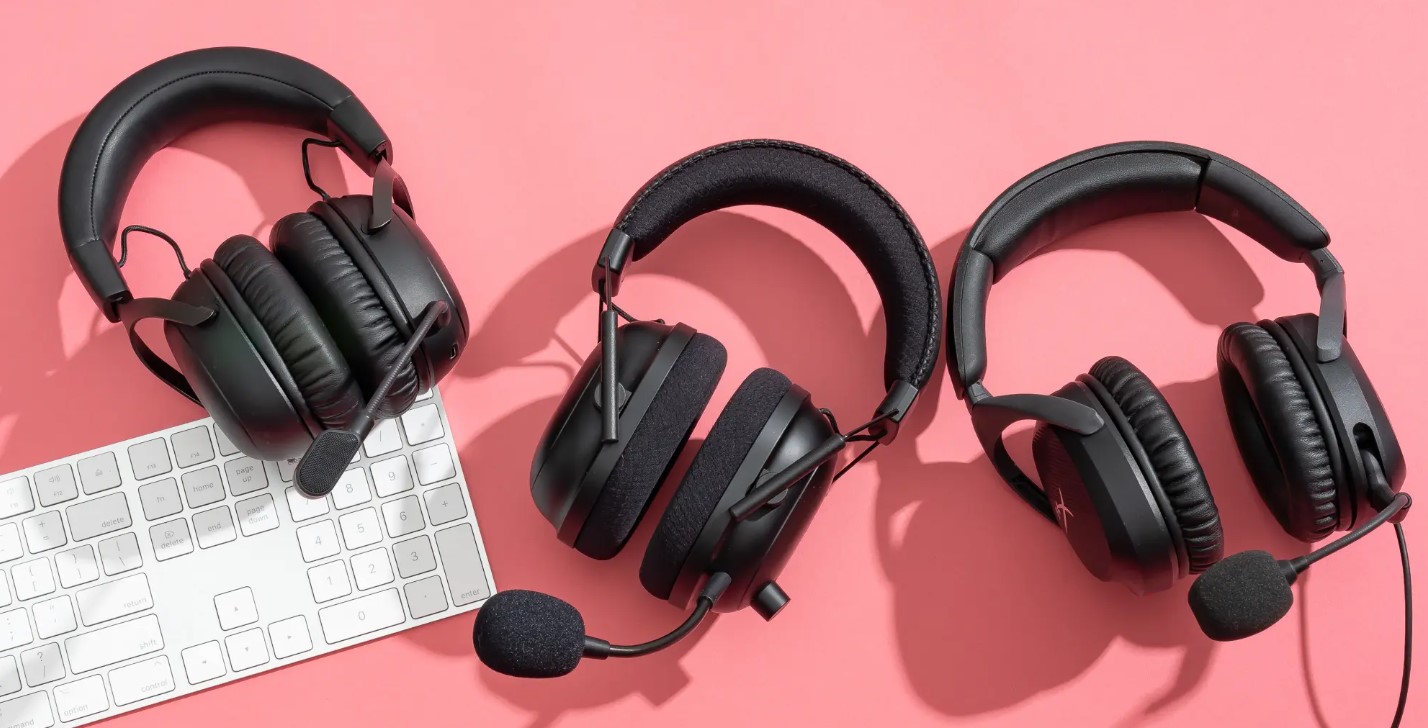
For the best all-round wireless value, the HyperX Cloud Alpha Wireless is a repeated favorite. Its standout feature is a genuinely staggering battery life – up to 300 hours on a charge, hands-down one of the longest ever tested. Pair that with comfortable leatherette ear cups suited to long sessions and HyperX’s reliable, clear mic, and you’ve got a headset you’ll rarely need to charge and can wear all day. For go-wireless-without-battery-anxiety, it’s the pick.
Here’s a rundown of standout wireless picks across needs and budgets:
- SteelSeries Arctis Nova Pro Wireless – best-in-class ClearCast Gen 2 mic, hot-swap batteries, premium price.
- HyperX Cloud Alpha Wireless – incredible ~300-hour battery, comfy, great value all-rounder.
- SteelSeries Arctis Nova 7 / 7P – ~38-hour battery, Gen2 AI mic, simultaneous 2.4GHz + Bluetooth, often ~$120.
- SteelSeries Arctis Nova 5 / 5P – up to 60-hour battery, retractable ClearCast 2.X mic, app with 100+ presets.
- Corsair Virtuoso RGB Wireless XT – premium build with a broadcast-grade omnidirectional mic praised for podcasting-level clarity.
- Sony InZone H9 II Wireless – a big improvement over its predecessor, strong audio and connectivity.
That Arctis Nova 7 deserves special mention for the value crowd. Community reviews praise its very good mic quality – one user noted they tested it against multiple HyperX Cloud wired and wireless sets and still thought the Nova 7 was the better option. It offers awesome battery life (30+ feet of range, days of use between charges), comfortable fit, and the handy ability to switch between 2.4GHz gaming and Bluetooth. At its frequent sale price around $120 or less, it’s a sweet spot of mic quality, features, and cost.
For those wanting broadcast-level voice specifically, the Corsair Virtuoso RGB Wireless XT stands out in the wireless category for its premium materials and exceptional 9.5mm omnidirectional microphone, frequently cited as suitable for podcasting-level recording. If your voice quality is a top priority – say you stream – it’s worth a look.
Understanding Wireless: 2.4GHz vs Bluetooth
Here’s a technical distinction that trips up a lot of buyers, and getting it right is crucial for a good gaming experience. Not all “wireless” is the same, and the difference matters enormously for gaming. Let me break it down.
There are two main wireless technologies in gaming headsets, and the best ones often include both:
- 2.4GHz (dongle/RF wireless) – a low-latency connection via a USB dongle; this is what you want for gaming.
- Bluetooth – higher latency but convenient for phones and mobile; great as a secondary connection.
- Simultaneous connection – premium headsets let you run both at once, mixing game audio and a phone call.
The key takeaway: for gaming, you want a 2.4GHz dongle connection. Bluetooth introduces noticeable audio latency – that slight delay between action and sound – which is a dealbreaker for competitive play where every millisecond counts. The 2.4GHz wireless via a USB dongle delivers the low latency gaming demands, keeping your audio perfectly in sync.
That said, Bluetooth is a fantastic bonus feature. The best modern headsets, like the Arctis Nova 7 line, let you connect via low-latency 2.4GHz for your game and Bluetooth for your phone simultaneously. So you can hear your game in crisp, lag-free audio while taking a Discord call or a text notification on your phone through the same headset. That dual-wireless flexibility is genuinely convenient.
One compatibility heads-up: many wireless gaming headsets come in platform-specific versions (a “P” model for PlayStation, an “X” for Xbox).
Check that the model you buy supports your console, since some headsets force you to choose PlayStation or Xbox compatibility. PC players generally have the widest support. Always verify before buying.
Battery Life and Other Features That Matter
Beyond the mic and the wireless tech, a few other factors separate a great wireless gaming headset from a frustrating one. Let me highlight what genuinely matters day to day, because these features affect your experience more than flashy specs.
Battery life is the big wireless-specific concern. Nobody wants their headset dying mid-match. The range here is enormous – from the SteelSeries Arctis Nova Pro’s roughly 44 hours (offset by hot-swappable batteries) to the HyperX Cloud Alpha Wireless’s astonishing 300 hours. Consider how you play: if you game daily and hate charging, prioritize long battery life or hot-swap batteries.
Here are the other features worth weighing:
- Comfort – padded, breathable ear cups and an adjustable headband for those marathon sessions.
- Fast charging – many headsets offer hours of playtime from a quick 15-minute charge.
- Detachable or retractable mic – lets you go from gaming to music without a boom in your face.
- Companion app and EQ – customizable sound presets and mic tuning for different games.
- Sidetone/mic monitoring – hear your own voice so you don’t shout, a genuinely useful feature.
That comfort point deserves emphasis. Gaming sessions can last hours, so padded ear cups and an adjustable headband aren’t luxuries – they’re necessities. Community reviewers consistently praise headsets that stay comfortable during long sessions and criticize ones that clamp too hard or heat up your ears. Try to prioritize a headset known for all-day comfort.
And that fast-charging feature is a lifesaver. Many modern headsets, like the Arctis Nova 5, give you around six hours of playtime from just a 15-minute USB-C charge. So even if you forget to charge, a quick top-up during a snack break keeps you in the game. It takes a lot of the battery anxiety out of going wireless.
Matching a Wireless Headset to Your Needs
Quick practical guide, because the right pick depends on what kind of gamer you are. Let me help you narrow it down based on your priorities, since there’s no single “best” for everyone.
If you’re a competitive multiplayer player, prioritize mic clarity and low-latency 2.4GHz above all. A headset like the Arctis Nova Pro or Nova 7 with a top-tier AI mic ensures your callouts land crisp, and the dongle connection keeps your audio perfectly synced. Clear comms win games.
If you’re a streamer or content creator, your mic is your product, so lean toward broadcast-quality options like the Corsair Virtuoso RGB Wireless XT or the Arctis Nova Pro. Your audience hears every word, so voice clarity is paramount, and you might even pair a headset with a standalone mic down the line.
If you’re a casual, all-day gamer, prioritize comfort and battery life. The HyperX Cloud Alpha Wireless, with its ~300-hour battery and comfy fit, means you’ll rarely charge and can wear it for hours. A solid mic plus effortless wireless freedom is the sweet spot here.
If you’re a budget-conscious buyer, the Arctis Nova 7 or Nova 5 on sale (often around $120 or less) deliver excellent mic quality, dual wireless, and great features without the flagship price. Watch for deals – these drop significantly during sales events.
Tips for the Clearest Possible Comms
Let me leave you with some practical advice for sounding your best, because even a great mic needs proper setup. These pointers ensure you always come through crystal clear.
First, position the mic correctly. Place the boom or retractable mic slightly to the side of your mouth, about an inch or two away – not directly in front where it catches your breath and pops. This simple adjustment dramatically improves clarity and reduces breathing noise. Even budget mics sound decent with good positioning.
Here are more tips for pristine comms:
- Enable noise suppression – use your headset’s app or software noise-cancelling features to filter background sound.
- Set your mic levels – adjust input volume so you’re clear but not clipping or distorting.
- Use sidetone if available – hearing yourself prevents shouting and helps you monitor your clarity.
- Keep the 2.4GHz dongle unobstructed – place it where it has a clear line to your headset to avoid dropouts.
- Update firmware – manufacturers push updates that improve mic performance and fix connection issues.
That noise suppression tip is worth expanding on. Most modern gaming headsets come with companion software offering AI-powered noise cancellation for the mic. Enabling it can transform your comms, filtering out that mechanical keyboard clatter and fan noise so your teammates hear only your voice. It’s often off by default, so dig into the settings and turn it on.
And finally, remember that a wireless headset is a system – the mic, the connection, and the setup all work together. Keep your headset charged, position your mic well, tune your levels, and enable the noise features, and you’ll sound consistently crisp.
Great comms aren’t just about buying an expensive headset; they’re about setting it up right.
FAQ
What’s the best wireless gaming headset for the microphone?
The SteelSeries Arctis Nova Pro Wireless is widely rated best for its AI ClearCast Gen 2 mic. The Arctis Nova 7 is a great value alternative with a strong mic.
Is 2.4GHz or Bluetooth better for gaming?
2.4GHz via a USB dongle is far better for gaming due to low latency. Bluetooth has more delay but is great as a secondary connection for your phone.
What’s the best value wireless gaming headset?
The SteelSeries Arctis Nova 7 (often around $120) and the HyperX Cloud Alpha Wireless offer excellent mics, features, and battery life without the flagship price.
How important is the mic on a gaming headset?
Very. Your teammates only hear your mic, not your audio quality, so for multiplayer and streaming it’s arguably the most important component.
How long should the battery last?
It varies widely, from around 40 hours to the HyperX Cloud Alpha Wireless’s ~300 hours. Prioritize long battery or hot-swap batteries if you game daily.
Do I need a detachable mic?
It’s a nice bonus. Detachable or retractable mics let you use the headset for music without a boom in your face, and they’re often more durable.
How do I make my mic sound clearer?
Position it slightly to the side of your mouth, enable noise suppression in the app, set proper input levels, and keep the firmware updated.
Wrapping It Up
So there’s your complete guide to choosing a wireless headset microphone for gamers. The headline takeaway? Don’t just chase audio quality – the microphone is the part your teammates actually experience, so prioritize clear voice pickup and strong noise rejection alongside great sound. And for gaming, always go for a low-latency 2.4GHz connection, treating Bluetooth as a handy bonus.
My honest advice? For the best mic, the SteelSeries Arctis Nova Pro Wireless leads the pack. For incredible battery and value, the HyperX Cloud Alpha Wireless is hard to beat. And for the sweet spot of price, features, and mic quality, the Arctis Nova 7 on sale is a fantastic all-rounder. Whatever you pick, position your mic well, enable noise suppression, and keep it charged.
A great wireless headset with a clear mic transforms your gaming – crisp callouts, effortless freedom of movement, and comms your squad can actually rely on. Set it up right, and you’ll never lose a round to a garbled mic again. Now gear up, hop in, and come through loud and clear.
P.S. Here’s your perfectly-tuned signal of thanks: if this guide came through crystal clear and helped you find your next headset, broadcast it across your social feeds so fellow gamers can dial in their comms too, and pin it to your bookmarks like a favorite EQ preset you’ll want to load up before your next session. Every share is basically a noise-cancelled callout that keeps our team’s message coming through loud and clear. And if you’re seeking creative or commercial collaboration, the Lizet Manski team is one message away – reach out directly and let’s make something that resonates together.